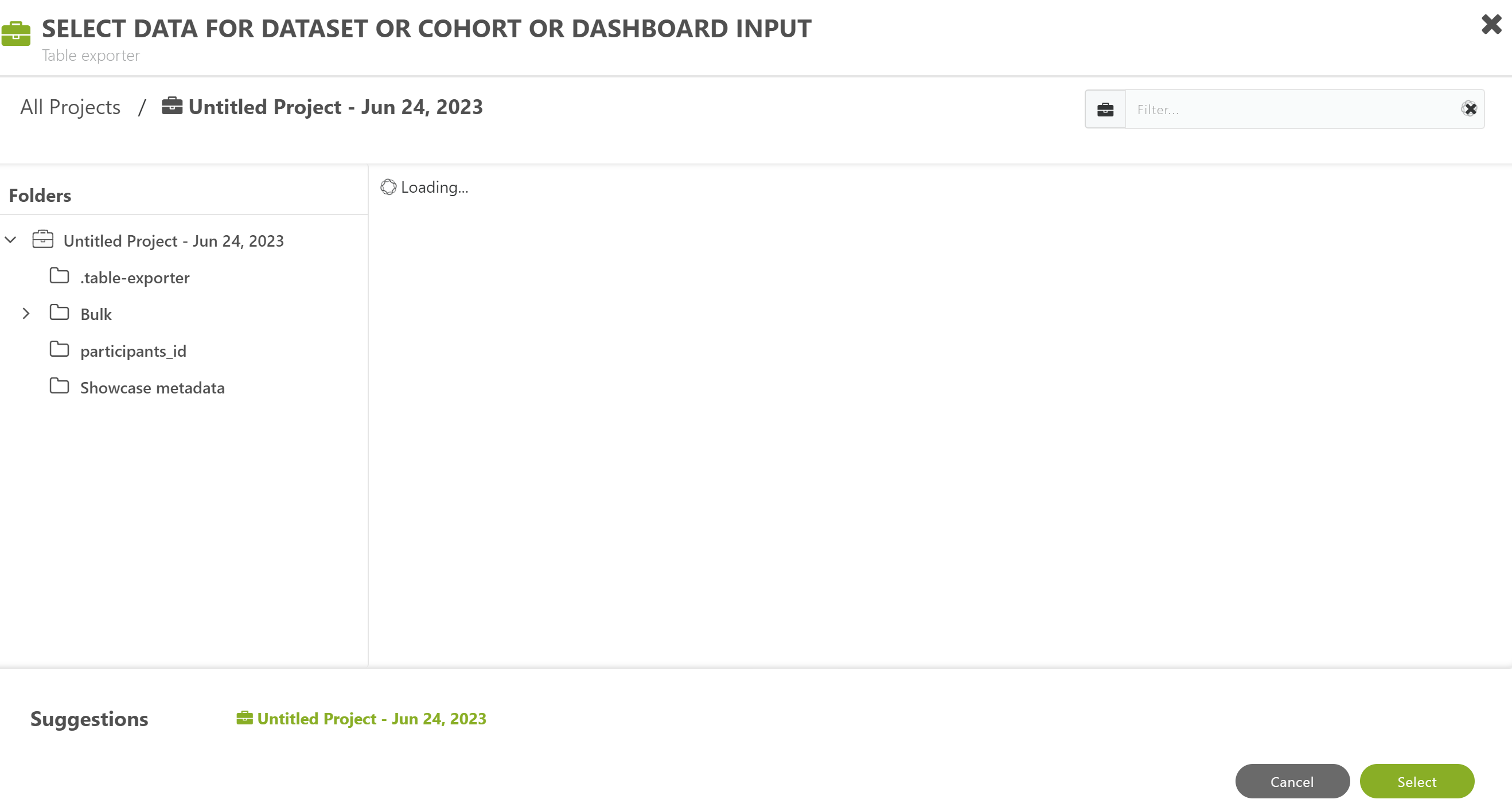
I wanted to select a data into the column for Dataset/cohort/dashboard input but the Table Exporter keeps loading. I have tried opening and closing it, and even exited my account and logged in again, but all to no avail. Please what can be done?
Have you already created and saved the cohort that you want to export?
Have you selected the saved cohort?
I think you need to ignore the loading symbol, which might mean “waiting for input from researcher”, and continue inputting parameters, such as the cohort and the folder to use for saving the output of the job.
If this doesn't help, please give a bit more detail, such as whether Table Exporter has ever worked for you, and when, and what data fields you are using in your saved cohort.

Comments
2 comments
I wanted to select a data into the column for Dataset/cohort/dashboard input but the Table Exporter keeps loading. I have tried opening and closing it, and even exited my account and logged in again, but all to no avail. Please what can be done?
Have you already created and saved the cohort that you want to export?
Have you selected the saved cohort?
I think you need to ignore the loading symbol, which might mean “waiting for input from researcher”, and continue inputting parameters, such as the cohort and the folder to use for saving the output of the job.
If this doesn't help, please give a bit more detail, such as whether Table Exporter has ever worked for you, and when, and what data fields you are using in your saved cohort.
Please sign in to leave a comment.